How do I add learners?
Open Learners and choose Add learners.
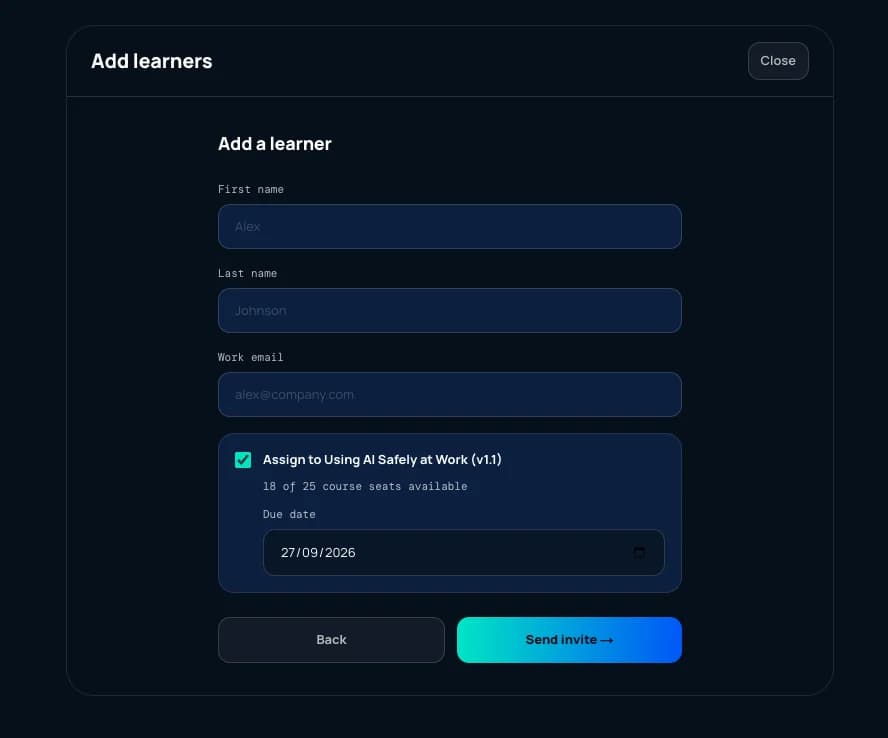
You need a name and a work email address. The course is ticked by default, and the dialog shows how many course seats you have left before you send. Leaving it ticked assigns the learner and uses one of those seats.
The due date is filled in for you at 30 days. Change it here if this person needs a different one.
Send invite emails them a link. Adding several people at once is the same form, one after another.
How do course seats work?
A course seat is one learner on one course. It is what you buy and what you are billed on.
Because the course is assigned as you add someone, a course seat is used at that moment. Add a learner with the course ticked and your available count drops by one — you do not wait for them to accept.
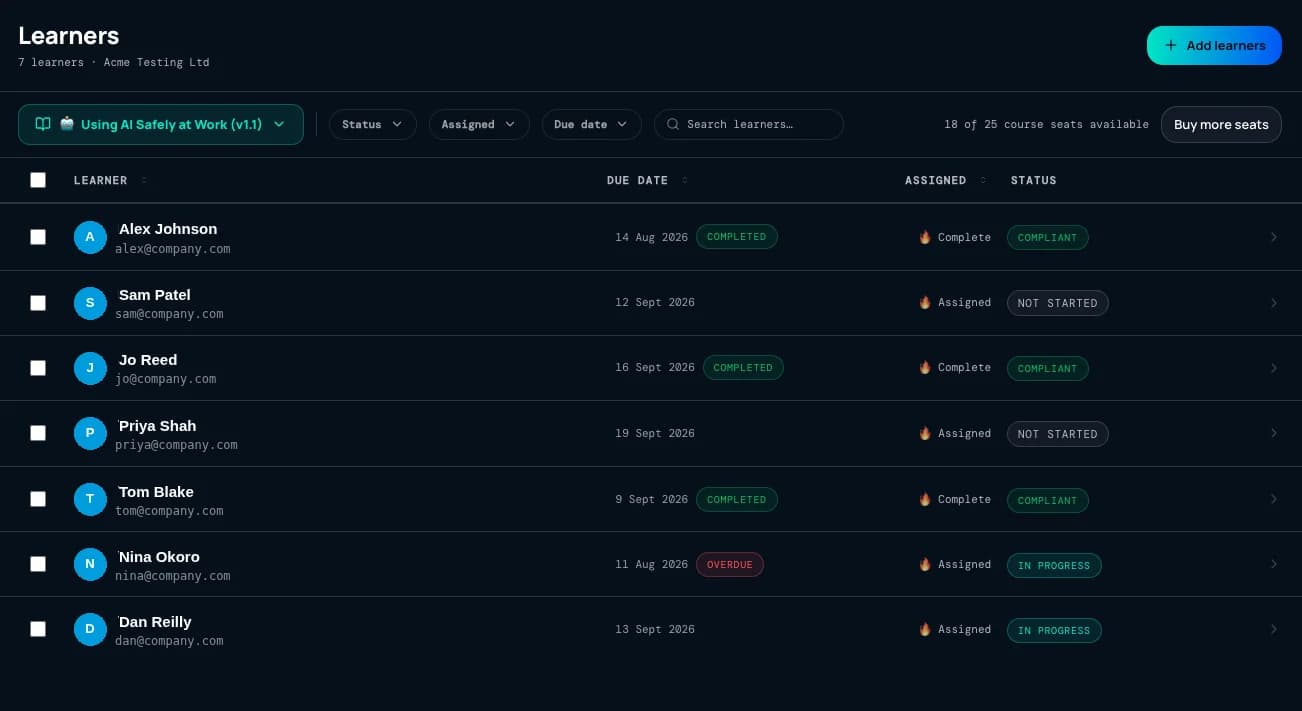
Your remaining count is shown in two places: on the Add learners dialog before you send, and along the top of the Learners list.
What if I run out of course seats?
You cannot add a learner with the course assigned once your seats are used up. Buy more from Buy more seats at the top of the Learners list, and carry on.
How do due dates work?
Every enrolment carries a compliance due date. It defaults to 30 days from the day the learner is enrolled, and you can set it to whatever suits you — at the point you add someone, or later from the Learners list.
Due dates are per learner rather than per organisation.
What can I see about a learner?
The Learners list gives you a status against each person: Not started, In progress, Compliant, Due soon when a due date is approaching, and Non-compliant once it has passed.
Open a learner and you get their record.
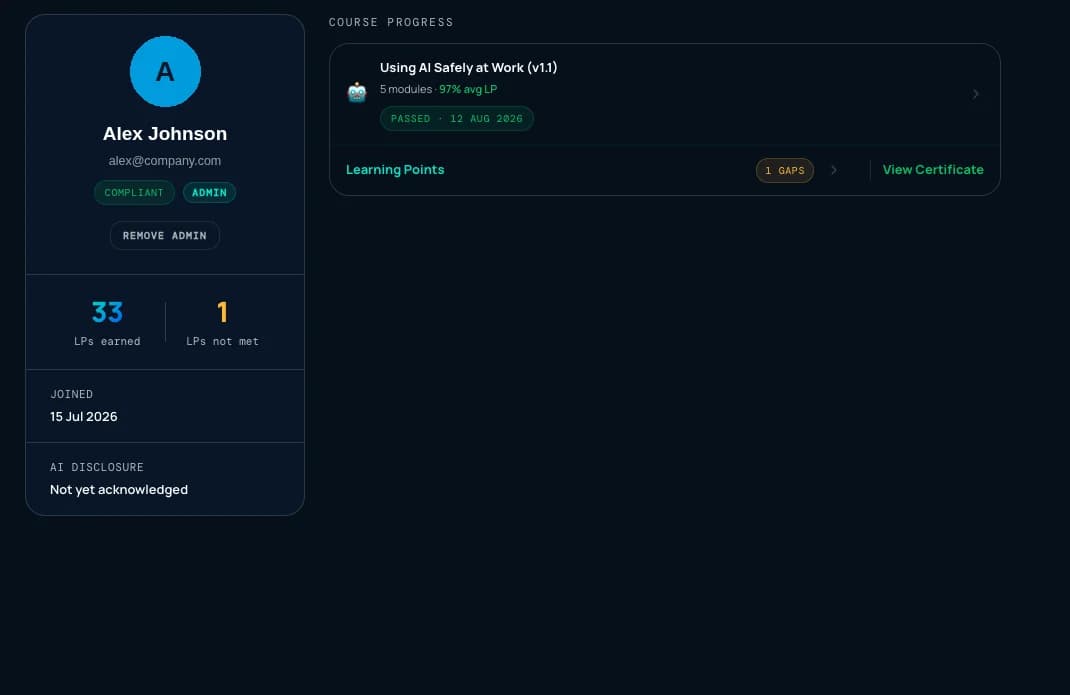
- Their standing at a glance — learning points earned and not met, when they joined, and whether they have acknowledged the AI disclosure.
- Course progress — modules completed, average learning-point score, and the date they passed.
- Their certificate — view it, and confirm it exists.
- Make them an admin, or remove admin — from the same screen.
Open the learning points and you get the breakdown, module by module or by skill.
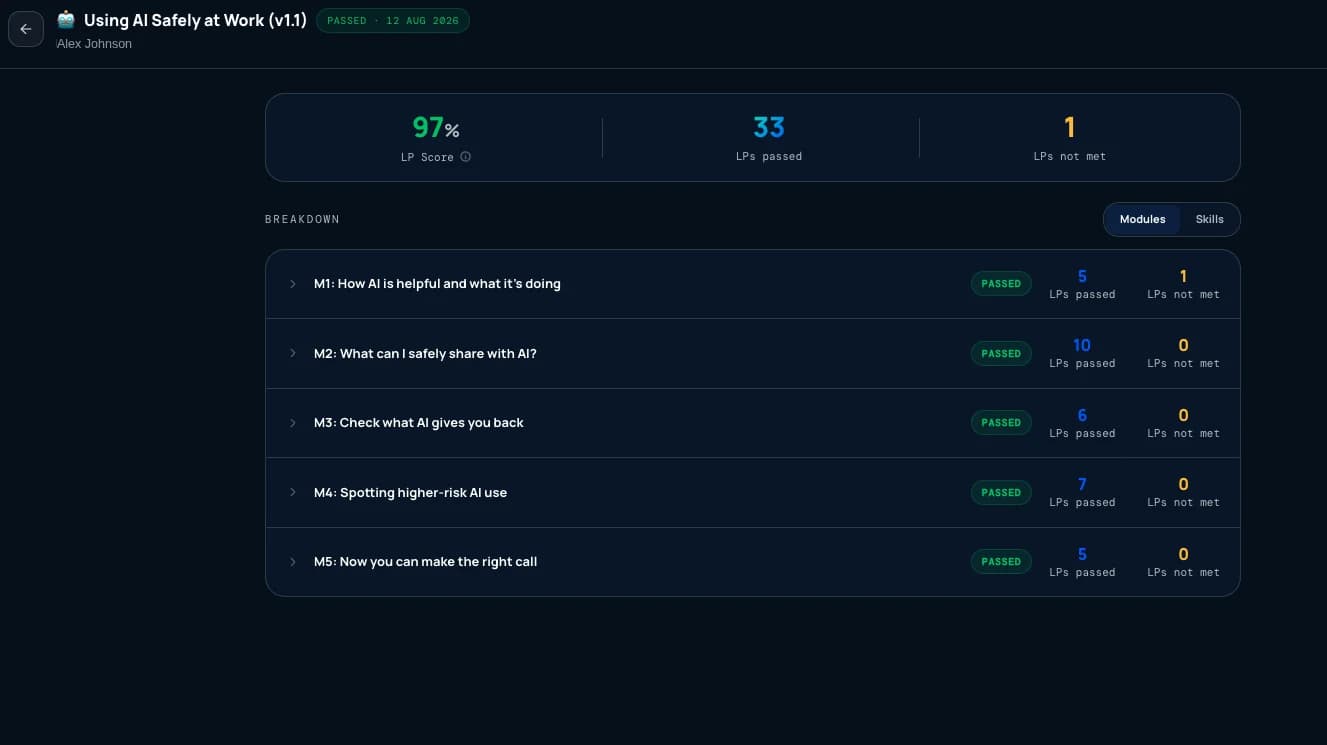
This is the level of detail available to you, and it is enough to evidence that training was delivered and where the gaps are.
Does Patario work with our LMS?
Patario does not need an LMS. It runs on its own, and for most organisations that is the whole setup.
If you already run one, we can work with it. Records are held in our own Learner Record Store, structured to the xAPI and cmi5 standards from the start and with every module modelled as a standard assignable unit — so connecting to a particular system is configuration work rather than a rebuild. Get in touch and we will work with you to fit it.
Two directions are possible, and most organisations want one or the other rather than both:
- Learners in. Add people to Patario from your LMS or HR system, rather than adding them by hand, so your existing list of who works here stays the single source of truth.
- Results out. Send completion, pass or not passed, module-level scores, how long a session took, and aggregated scores by concept back to your LMS.
Tutor conversations are never shared with admins, whatever integration is in place.